
SMART LIVING
Best Smart Home Ecosystems Compared: How to Choose
- September 25, 2026
- 8 min read
- By Kiana Meraki

A smart home gets complicated fast. One light works in one app, a plug uses another, a lock needs its own hub, and then a new device turns up with a Matter logo that seems to promise everything will finally talk to each other.
Matter helps. It doesn’t make every platform identical.
The more useful question isn’t which ecosystem is “best”. It’s which one fits the phones your household already uses, the devices you already own, and the kind of automation you actually want. Choosing a primary ecosystem before buying a pile of devices is much easier than trying to make sense of them afterwards.
What a Smart Home Ecosystem Actually Is
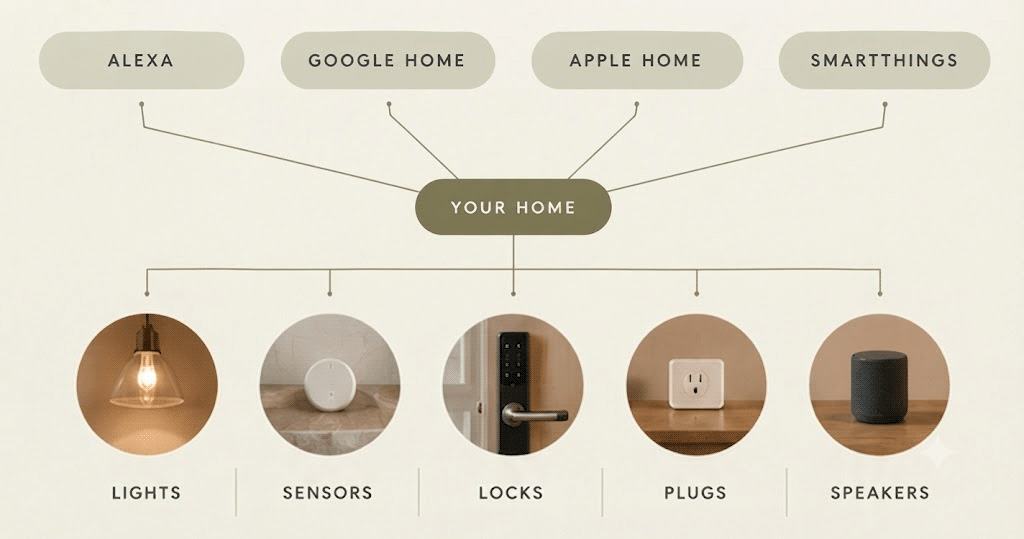
An ecosystem is the combination of apps, controllers and compatible devices that lets your connected products work as one system. Amazon Alexa, Google Home, Apple Home and Samsung SmartThings are examples. They group devices into rooms, run automations, and give you one place to control what’s compatible.
That doesn’t mean every device has to come from the same company. A bulb might use Wi-Fi, a sensor might use Thread, an older lock might use Zigbee through a hub. The ecosystem is what brings these pieces together, when the right integrations and controllers support them. That’s why ecosystem and protocol are different things, and worth keeping separate in your head.
Matter, Thread, Wi-Fi and Zigbee, in Plain Terms
Wi-Fi is the familiar networking most phones, laptops and many smart devices already use.
Thread is a low-power wireless mesh network built for connected-home devices. Some Matter products use it instead of Wi-Fi.
Zigbee is another wireless technology used by plenty of smart-home devices, usually through a hub or bridge.
Matter is an interoperability standard, not an ecosystem of its own. It runs over Wi-Fi, Ethernet or Thread, and Bluetooth Low Energy typically handles setup. Matter also supports “multi-admin”, meaning a compatible device can potentially be added to more than one platform.
So the Matter logo is genuinely useful, but it’s not a guarantee that a device will behave identically wherever you put it. Support, features and setup details still vary by platform. 📎
Amazon Alexa
Alexa runs through the Alexa app, alongside Echo speakers and other Amazon smart-home hardware. Its biggest practical advantage is usually the hardware people already have. If your home already runs on Echo speakers or eero networking, adding smart-home devices into that setup tends to feel natural.
Alexa supports Matter over Wi-Fi and Thread on compatible hardware, and some Echo and eero devices can act as Thread Border Routers, which matters if you’re buying Matter-over-Thread products. The word to watch is “compatible” — capabilities vary between Echo and eero models, so check the specific device rather than assuming. 📎
Alexa tends to fit if you already use Echo devices, want strong voice control and routines, or plan to mix devices from lots of different brands.
Google Home
Google Home lives in the Google Home app and works closely with Google’s own hardware. If your household is mostly Android, or already has Google speakers, displays or Nest devices, that’s a natural starting point.
It supports Matter over Wi-Fi and Thread, and some Google Home hubs act as Thread Border Routers, so what you already own can decide whether you need to buy anything extra. This is true across every platform here: compatibility depends on the hub or controller as much as the app. 📎
Google Home suits Android or Google households who want one central app and expect to add Matter and Thread devices over time.
Apple Home
Apple Home takes a more tightly integrated approach. The Home app controls compatible HomeKit and Matter accessories, and a supported Apple TV or HomePod can act as a home hub for remote control and automation.
In an Apple-heavy household, this can feel like an extension of devices you already use rather than a separate system. Thread matters here too: some Thread-based accessories need Thread-enabled Apple hardware, or another supported Thread Border Router, to work fully. 📎
Apple Home fits households built around iPhone, iPad, Apple TV or HomePod, who are happy to check which of their Apple devices support the connection a new accessory needs.
Samsung SmartThings
SmartThings stands out for combining several device technologies at once. Supported setups can work with Matter, Zigbee and Z-Wave alongside other integrations, so a compatible hub is genuinely useful if your home has devices that don’t connect over Wi-Fi directly.
That flexibility comes at a cost: SmartThings is more technical to set up than a basic speaker-and-plug system, and hub requirements and regional availability vary. 📎
SmartThings suits homes with a genuine mix of protocols, especially existing Zigbee or Z-Wave devices, and people happy with a more hands-on, hub-based setup.
Comparing the Four at a Glance
| What matters | Alexa | Google Home | Apple Home | SmartThings |
|---|---|---|---|---|
| Existing hardware | Echo/eero | Google/Nest | iPhone, HomePod, Apple TV | SmartThings hubs |
| Matter | Yes | Yes | Yes | Yes |
| Thread | On compatible hardware | On compatible hardware | On compatible hardware | Via compatible infrastructure |
| Zigbee/Z-Wave | Some supported setups | Not a main focus | Not a main focus | Supported via compatible hubs |
| Voice control | Alexa | Siri | Depends on setup | |
| Natural fit | Existing Amazon household | Existing Google household | Existing Apple household | Mixed-protocol, hub-based home |
Treat this as a starting point, not a full compatibility chart. Support changes, and a platform can handle a device category without exposing every feature the manufacturer’s own app offers.
Does Matter Make the Choice Less Important?
Partly. Matter’s multi-admin capability means a compatible light, say, can be easier to move between platforms than an older, platform-locked device would have been. That’s real flexibility.
But it doesn’t make every feature universal. A device might offer basic controls through Matter while the manufacturer’s own app unlocks extras, and platforms differ in which Matter device types they support and how they show up in automations. The network underneath still matters too: a Matter-over-Wi-Fi device needs a decent Wi-Fi network, and a Matter-over-Thread device needs a proper Thread network behind it, usually via compatible infrastructure.
A useful mental chain: Device → Matter → Wi-Fi or Thread → Controller/Hub → Ecosystem. That tells you more than checking for a logo.
What to Ask Before You Choose
What phones does the household use? If everyone’s on iPhone, Apple Home tends to integrate naturally. Mostly Android, Google Home may be a natural starting point. In a mixed household, look at the actual apps and device support rather than assuming one platform will suit everyone.
What do you already own? List your bulbs, plugs, cameras, locks, speakers and hubs, and check how each one connects. It can save you from replacing perfectly good devices just because you picked a new platform.
Do you actually need a hub? Some devices connect straight over Wi-Fi; others need Thread, Zigbee or Z-Wave infrastructure. The point isn’t to avoid hubs altogether, it’s to know what a hub does and which of your devices depend on it before you buy one.
What automation do you actually want? There’s a real difference between turning a light on from your phone and wanting the house to respond to sensors on its own — motion triggering a hallway light, a bedtime routine switching lights off, a temperature sensor triggering a response. Check the automations you actually want are supported before choosing based on the voice assistant alone.
How much do you care about privacy and local control? This isn’t a simple platform ranking. Check what data is collected, what depends on the cloud, what can run locally, and how software updates are handled — especially for cameras, microphones and locks, which sit closest to the sensitive parts of your home.
Do you want one primary ecosystem, or several? You can run more than one, and Matter makes some of that easier. But every extra platform is another app and another set of compatibility rules to track. For many households, one primary ecosystem with a few carefully chosen cross-compatible devices is easier to live with than several platforms competing for control.
Common Mistakes
- Buying devices before deciding how the home will be controlled. A cheap device becomes annoying fast if it doesn’t fit the system you eventually settle on.
- Assuming Matter means universal compatibility. It improves interoperability, but supported features and setup steps still differ by platform.
- Ignoring hardware you already own. Your existing phone, speaker, router or streaming box may already do useful work for you.
- Collecting apps rather than choosing a system. Running two platforms deliberately is fine. Ending up with four by accident isn’t.
- Buying a hub without checking what it’s for. Requirements vary by ecosystem, protocol and hardware generation.
- Choosing on voice control alone. It’s the most visible feature, but automation, app design and local operation usually shape daily life more.
A Simple Way to Decide
Use four filters instead of chasing a “best” answer:
Fit — does it work naturally with the phones and hardware you already have?
Compatibility — does it support the devices and protocols you actually plan to use?
Control — does it give you the app, voice and automation experience you want?
Future — does it leave room for what you’ll add later?
If one platform fits all four, it gives you a sensible starting point. If none does perfectly, prioritise the devices you’re least willing to replace, then lean on Matter and multi-admin support where they genuinely add flexibility. The goal isn’t the most impressive smart home on paper. It’s one that feels coherent once you’re actually living in it.
The Better Starting Point
A smart home gets easier to manage once you stop treating every device as its own isolated purchase. Start with what you already have — the phones in the house, the hardware already installed, the automations that would genuinely help — then choose the ecosystem that fits those conditions.
Matter gives you more flexibility than earlier smart-home technology did, but it doesn’t remove the need to make a considered choice. The ecosystem is still what determines how all these separate devices feel once they’re part of the same home.